How to Repair Damaged Photos (Water, Scratches, Tears)
Updated July 7, 2026 · by Oguz Yildiz
Most damaged photos are more recoverable than they look. Water stains, scratches, creases, tears, and fading each destroy the image in a different way — but as long as meaningful parts of the picture survive, AI restoration can rebuild a complete, natural-looking photograph from what remains. Here is a damage-by-damage playbook, including the two-copies trick that rescues photos everyone had given up on.
First: stabilize the original
Before any digital work, stop the physical decay. Wet or recently water-damaged prints should be air-dried face-up on paper towels — never rubbed, never heat-dried. Don’t tape tears; don’t try to flatten deep creases by force. The goal is a single decent scan (see the digitizing guide), after which the original can rest and every experiment happens on copies.
The damage playbook
- Scratches and spots: the easiest case. Refect’s one-tap RESTORE detects and erases them while preserving the texture underneath.
- Creases and fold lines: also automatic — the AI rebuilds the image across the fold. Deep folds that cracked the emulsion take a second pass with the manual brush.
- Fading and yellowing: restoration rebuilds contrast and neutralizes the cast; for faded color prints it reconstructs the dye layers’ intent rather than just boosting saturation.
- Water stains and mold spots: treated as damage regions and inpainted from surrounding context. Large stains over faces recover surprisingly well thanks to face-specific modeling.
- Tears and missing corners: AI inpainting fills missing areas plausibly. A missing background corner is invisible after repair; a missing face is reconstructed but partly interpreted — set expectations accordingly.
The two-copies trick: Magic Merge
Family archives often hold two prints of the same photo, each damaged differently — one water-stained on the left, one torn on the right. Refect’s Magic Merge blends both scans into a single complete scene, using the intact regions of each. It is the closest thing restoration has to a cheat code, and worth checking the shoebox for duplicates before declaring any photo unrecoverable.
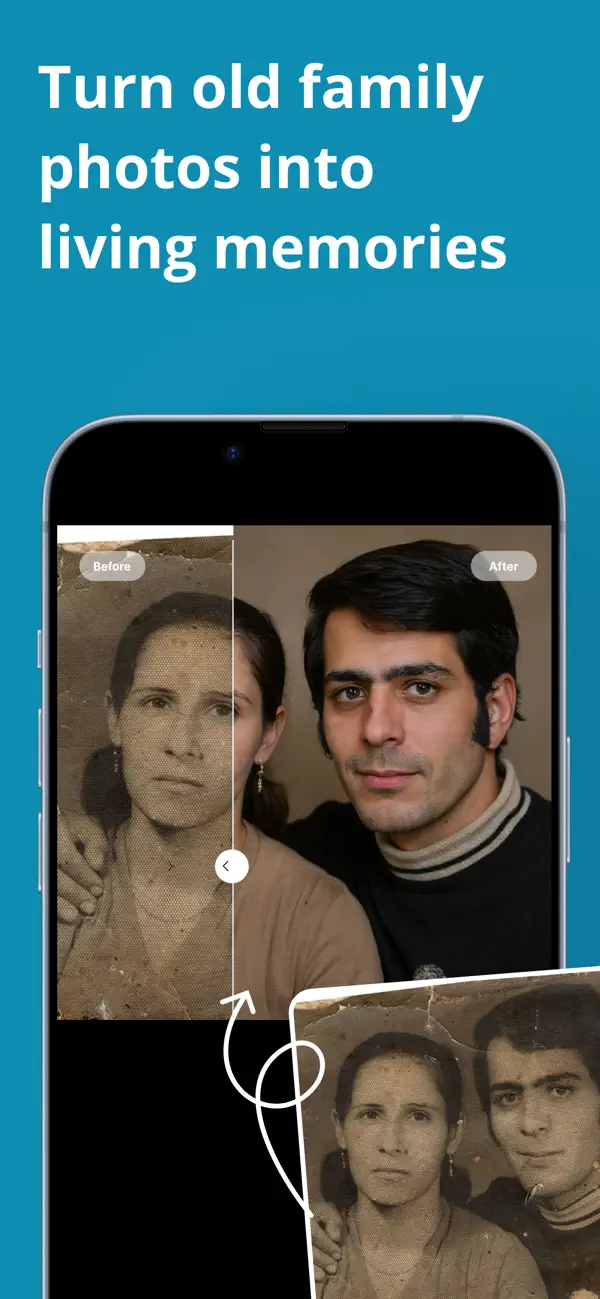
Repairing a damaged photo in Refect
- Scan the print with the in-app camera — flat, even window light, no flash.
- Run RESTORE. Scratches, stains, creases, and fading are handled in one pass, on-device.
- Merge if you have two copies. MERGE mode rebuilds one complete image from two damaged scans.
- Brush the stubborn spots. The manual retouch brush gives precise control where the automatic pass was conservative.
- Finish with color and sharpness. Colorize if it is black-and-white, enhance if it is soft, export losslessly for the archive.
Related questions
Can a photo that is 90% destroyed be restored?
The surviving 10% can be recovered and the rest will be AI interpretation — fine for a memorial display, wrong for historical documentation. The honest framing: restoration recovers what survives and reconstructs what does not, and you should know which parts are which.
Should I repair the physical print too?
For valuable originals, physical conservation is a professional’s job — amateur tape and glue do permanent harm. The digital copy is where repair is safe, reversible, and free to retry.
Is it safe to upload damaged family photos to restoration sites?
It is a real consideration — web tools process your photos on their servers under their terms. Refect sidesteps the question: the entire neural engine runs on your iPhone, offline if you like, so the photos never leave the device.