The Split Bill App That Reads the Receipt For You
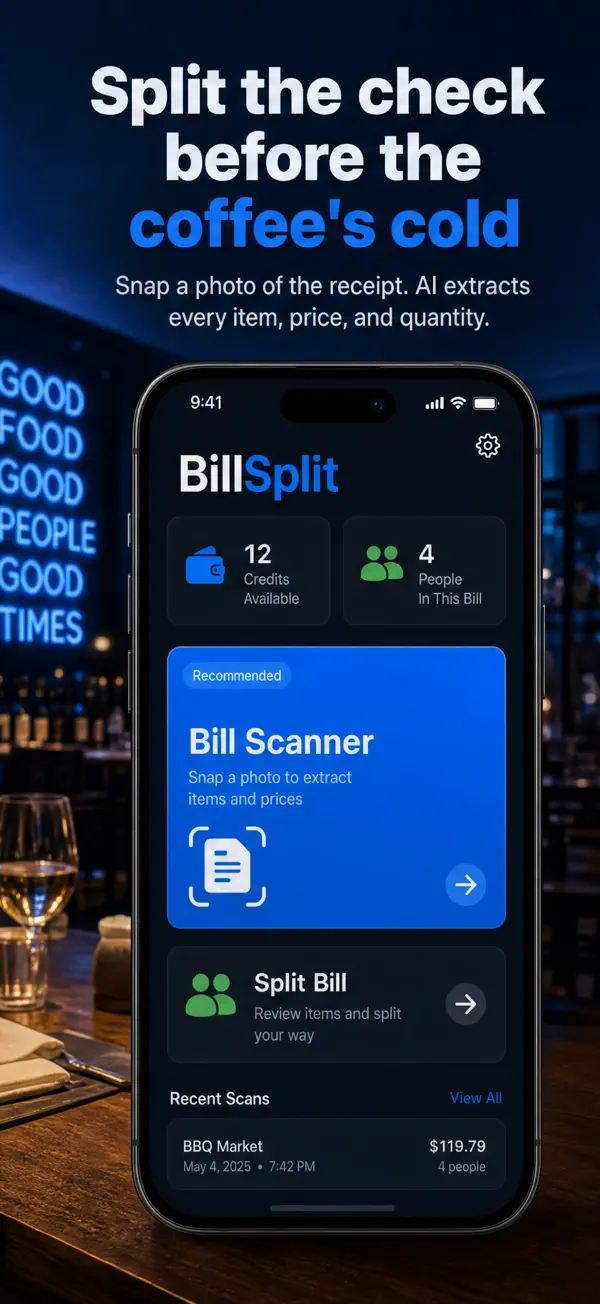
Snap a photo of the check and BillSplit’s AI extracts every item, price, and quantity. Assign dishes to friends, split shared plates your way, and know who owes what before the coffee gets cold.

Free on the App Store · Requires iOS 17.6+
Download BillSplit
FreeiOS 17.6 or laterFinance
Scan the check, tap the items, done
Why groups settle up with BillSplit
A bill split calculator, receipt splitter, and expense divider in one — without the accounts and running ledgers.
AI receipt scanning
Photograph the bill and the app extracts every item, price, and quantity automatically — no typing a 14-line dinner check by hand.
Assign items per person
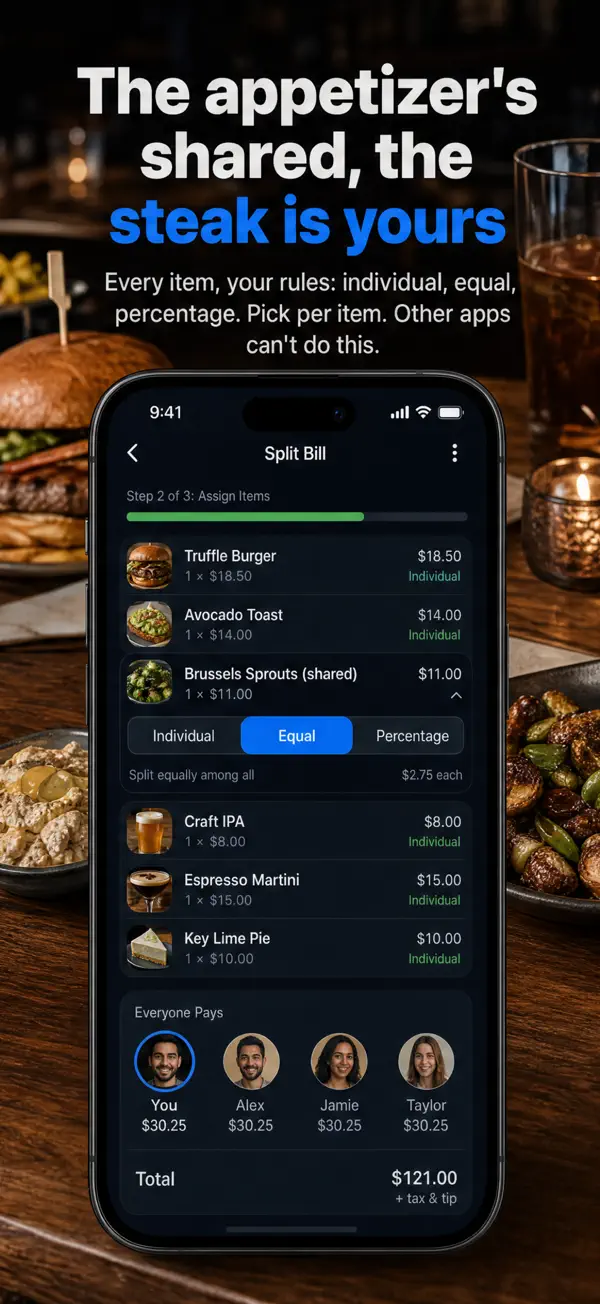
Tap dishes onto the people who ordered them. Shared appetizer? Split just that item equally or by percentage while the steak stays yours.
Every splitting method
Individual assignment, equal split, percentages, ratios, or custom amounts — mix methods on a single bill.
No sign-up, no debt ledger
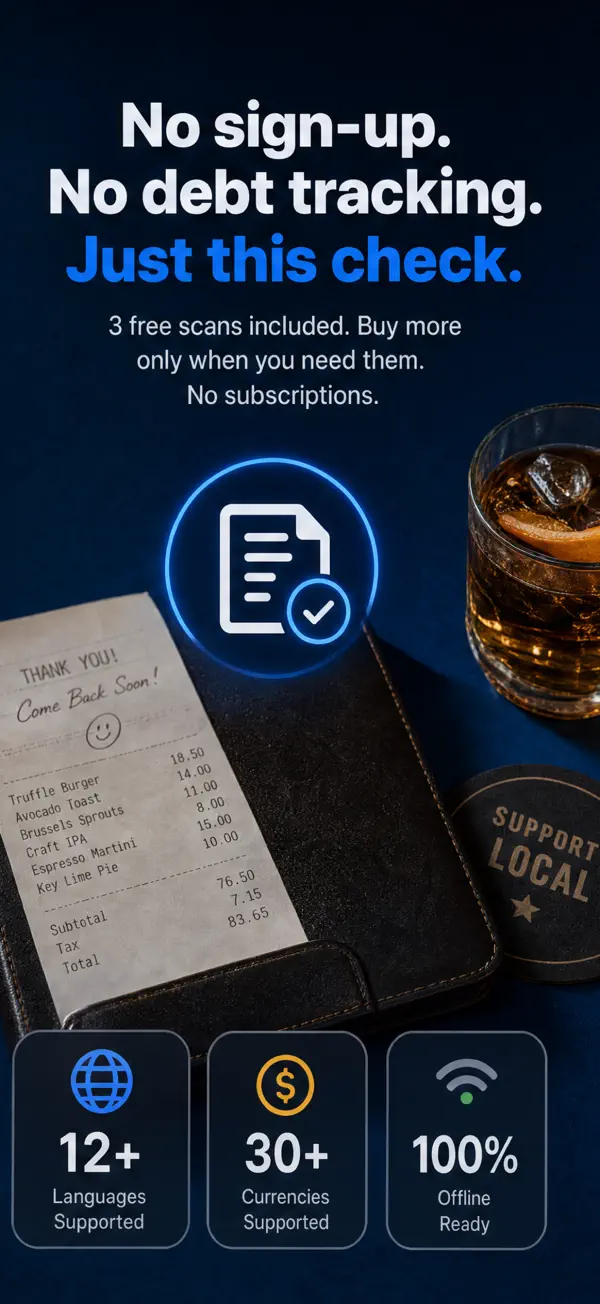
No accounts, no friend graphs, no lingering IOUs. Open the app, settle this check, done.
Works offline
Manual bill entry and item assignment work with no connection — useful in basements, planes, and cash-only spots.
12+ languages, 30+ currencies
Split a check in Tokyo or Berlin as easily as at home. Dark mode included.
How BillSplit works
From crumpled receipt to settled bill in three steps.
Scan the receipt
Take a photo of the bill. The AI detects item names, prices, and quantities in seconds — you start with 3 free scans.
Assign the items
Give each dish to the person who ordered it. Split shared items equally, by percentage, or by custom amounts.
See who owes what
BillSplit calculates each person’s share in real time — tax and tip distributed proportionally — so everyone pays their fair part.
Bill splitting guides
Practical guides to splitting bills, receipts, rent, and group expenses — and how BillSplit handles each one.
Bill Split Calculator: How to Split Any Bill Fairly
How to calculate a fair bill split — evenly, by items, or by percentage, with tax and tip handled right — and how BillSplit does it from a photo.
Read the guide →How to Split a Restaurant Bill (Evenly or by Items)
Even split, itemized split, shared plates, and awkward friends — how to split a restaurant bill fairly, and how the BillSplit app does it in seconds.
Read the guide →Looking for a Splitwise Alternative? Try Receipt-First Splitting
When a debt ledger is too much: a Splitwise alternative for settling tonight’s check — AI receipt scanning, no sign-up, no running balances.
Read the guide →How a Receipt Splitter App Works (Scan, Assign, Settle)
What a receipt splitter app does with your photo: AI item extraction, per-person assignment, and proportional tax and tip — a walkthrough with BillSplit.
Read the guide →How to Split Rent with Roommates (3 Fair Methods)
Equal, by room size, or by income — three fair ways to split rent and utilities with roommates, with the math done in the BillSplit app.
Read the guide →Frequently asked questions
How do I split a restaurant bill fairly when everyone ordered differently?
Split by items, not evenly. Each person pays for what they ordered, shared plates get divided among sharers, and tax and tip are distributed in proportion to each share. BillSplit automates exactly this: scan the receipt, tap items onto people, and the math is done. Learn more →
Is there a bill split calculator that handles tax and tip?
Yes — a proper bill split calculator should distribute tax and tip proportionally to what each person ordered, not per head. BillSplit does this automatically for every split method, and you can also enter a bill manually and use it as a plain calculator. Learn more →
What is a good Splitwise alternative for one-off dinners?
Splitwise is built around a running ledger of group debts. If you just want to settle tonight’s check without accounts or friend lists, BillSplit is the lighter alternative: scan, assign, settle, close the app. No sign-up and no debt tracking. Learn more →
How does the receipt splitter work — can it really read my receipt?
The AI reads a photo of the receipt and extracts item names, prices, and quantities, including duplicates like “2 × latte.” You review the parsed list, fix anything unusual, and assign items. Each scan costs one credit and new users get 3 free. Learn more →
Can I use BillSplit to split rent or utilities with roommates?
Yes — enter the rent or utility bill manually and split it equally, by percentage (say, by room size), or by ratio. There is no monthly ledger by design: you settle each bill as it arrives. Learn more →
Is BillSplit free? What do credits cost?
The app is free to download and manual splitting is free forever. AI receipt scans use credits: you start with 3 free scans and buy more via in-app purchase only when you need them — no subscription.
Does BillSplit split a bill into 4 installment payments?
No — BillSplit divides a bill between people, so each friend pays their own share today. It is not a buy-now-pay-later service and does not split your personal bill into monthly installments.
Does it work abroad and offline?
Yes. BillSplit supports 30+ currencies and 12+ languages, and manual entry plus item assignment work fully offline — handy when the restaurant basement has no signal.
Next dinner, skip the math
Download BillSplit free — 3 AI receipt scans included, no sign-up, no subscription.