Bill Split Calculator: How to Split Any Bill Fairly
Updated July 7, 2026 · by Oguz Yildiz
A bill split calculator does one job: turn a total — items, tax, and tip — into a fair amount per person. The math is simple when everyone splits evenly, and surprisingly fiddly the moment someone ordered the lobster. This guide shows the three calculations that cover every situation, and how to run them from a photo of the receipt instead of a spreadsheet.
Method 1: The even split
The classic: (bill + tax + tip) ÷ number of people. A $121 dinner with four people is $30.25 each. It is fast, sociable, and perfectly fair when everyone ordered roughly the same amount. The failure mode is familiar too: the friend who had a soup and water quietly subsidizes the one who had two cocktails. Use the even split for equal-ish meals, coffee runs, and any bill under about $15 a head, where precision costs more goodwill than it saves.
Method 2: The itemized split
Each person pays for exactly what they ordered, and shared plates are divided among the sharers. The rule that trips people up is tax and tip: they should be distributed proportionally to each person’s subtotal, not per head. If your items are 40% of the food total, you owe 40% of the tax and tip. Done by hand this means keeping a subtotal per person, computing each share of the extras, and rounding sensibly — exactly the part a calculator should own.
Method 3: Percentage and ratio splits
Sometimes the fair split is neither even nor itemized: a couple pays double as a single unit, a birthday guest pays nothing and the table absorbs their share, or roommates split a grocery run 60/40. For these, assign each person a percentage or ratio of the total and let the calculator distribute — the same proportional rule for tax and tip applies.
Using BillSplit as your bill split calculator
- Skip the data entry. Photograph the receipt and the AI extracts every item, price, and quantity — a 14-line dinner check becomes a structured list in seconds. (Prefer typing? Manual entry works too, and it is free and offline.)
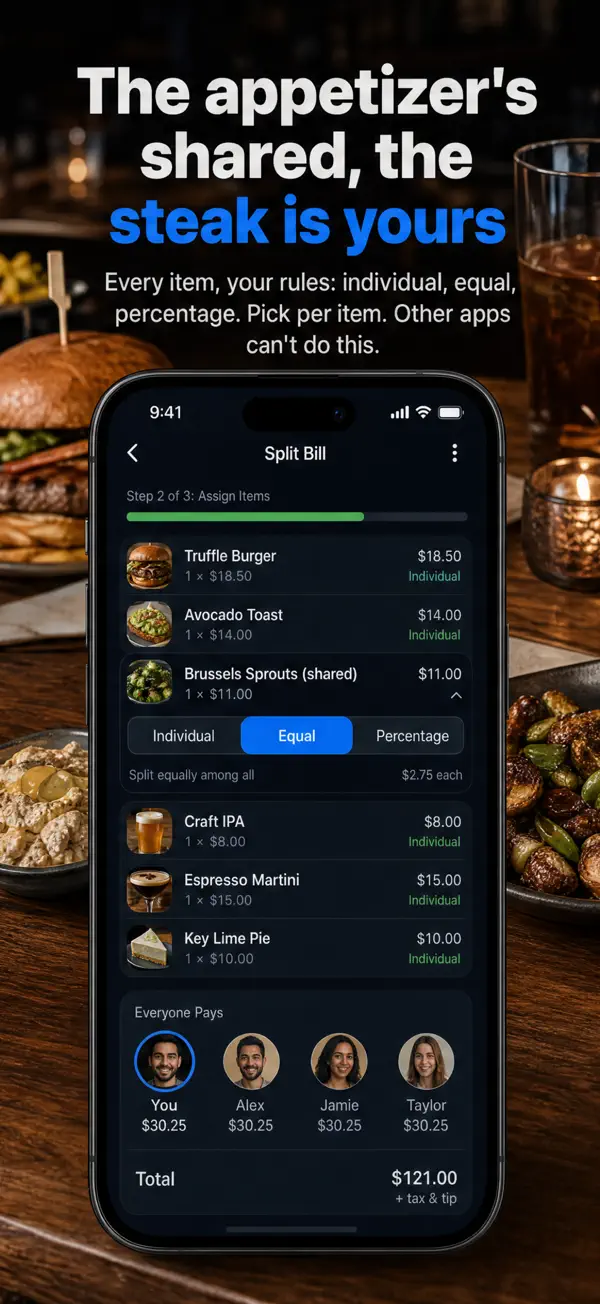
- Pick the method per item. Assign dishes to individuals, mark the shared appetizer as an equal split among sharers, or switch any line to percentages — you can mix methods on one bill.
- Read the result. The “everyone pays” row updates in real time with tax and tip distributed proportionally, so the number next to each name is final — no calculator app, no napkin math.
Worked example
Four friends, $100 of food, 8% tax, 20% tip. Alex ordered $40, Jamie $30, Taylor $20, Sam $10. Even split: everyone pays $32. Proportional split: Alex pays $51.20, Jamie $38.40, Taylor $25.60, Sam $12.80 — Sam saves $19.20 versus the even split. That gap is why itemized splitting exists, and why the person who ordered the soup will thank you for scanning the receipt.
Related questions
How should tip be split on a shared bill?
Proportionally to what each person ordered, unless the group agrees otherwise. Splitting tip evenly while itemizing the food is a common half-measure that quietly recreates the original unfairness.
What about splitting the bill at a restaurant with awkward items?
Shared plates, split desserts, and one person covering another are all just assignment rules — our guide on how to split a restaurant bill covers the etiquette and the mechanics.
Is there a bill split calculator that works offline?
Yes — BillSplit’s manual entry and item assignment work fully offline, so the calculator part never depends on the restaurant’s Wi-Fi. Only the AI receipt scan needs a connection.